

Many people ‘How to register for GAT General Test?’ This is because, the registration procedure has now changed to online portal. It has become more comfortable to register for GAT General test in Pakistan. Previously, candidates were required to download and print out the application form with copies of educational documents with the CNIC copy. Further, they needed to courier that complete application to the NTS office in Islamabad.
New Changes in NTS GAT Registration Procedure
Now, NTS made the registration procedure quite simple and hassle-free by shifting the major burden from the applicant to the NTS staff. It means, you just need to fill the online registration from, and attach the photo or scanned copies of all the required documents with your recent photo. Pay the registration fee (PKR 1810) online via EasyPaisa App by choosing 1 Bill Invoice or via any ATM machine, and submit the online GAT registration.
Things To Know Before Registering for GAT General
An important thing that you must know is, there are four categories of GAT General. Choose the right one before submitting your online registration, while following the below mentioned steps for successful GAT registration.
Important Note: Registration for GAT is now open and deadline to apply is 21st Sept. Those who have applied should wait for their GAT Roll No Slip which will be available very soon.
Steps to register for GAT General Test:
Step 1: Create An Account:
First step is to create an account by visiting GAT VII Registration to create an account.
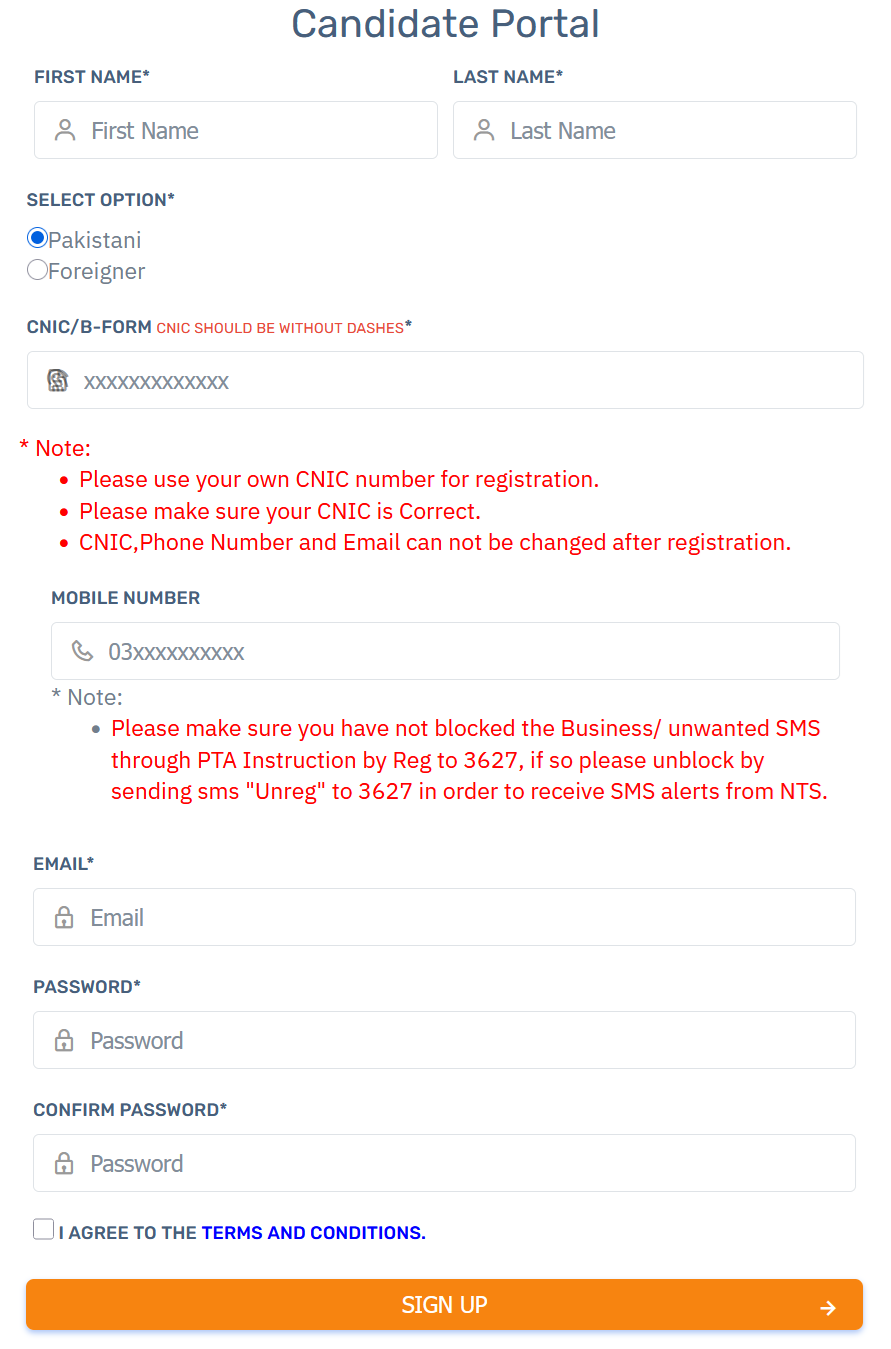
Please carefully fill out the GAT registration form with accurate information. Note that once entered, the information will not be updated or changed later-on.
Step 2: Sign-In
If you have already created an account, next step is to Sign In to your account. The screen will be link below:
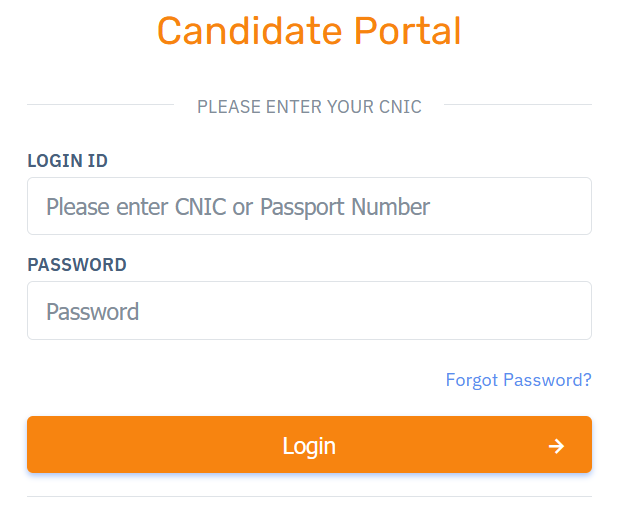
After successfully signing in, please complete your profile by entering details including educational and personal information. Also attack your recent photo.
Step3: Submit Fee
of PKR 1810 via 1Bill Invoice, which you can submit through EasyPaisa App, and submit your application.
Step 4: Payment Confirmation
After successful payment, please wait for at least 8 to 10 hours so the system will update your account by changing the payment status from ‘Un-paid’ to ‘Paid’. And, you’re done! Now is the time to start your GAT preparation and wait for the GAT roll no slip, which will be available around 4 days prior to your test.
Important Note: Create a copy of this challan form or payment receipt and keep it with you till you receive SMS prescribing your roll number and Test center. You don’t need to send the challan form to the NTS office, rather simply wait for the payment status in your application until it shows ‘Paid’. That’s it!
Finally, if you have successfully registered for GAT General, the next important task is to start GAT preparation. To help you out, we have made special study plans, which you can choose according to your requirement and able to complete before your GAT test date. The study plan covers the whole GAT syllabus and covers all three sections: Quantitative Reasoning, Verbal Reasoning, and Analytical Reasoning. So, if you are a few days behind your GAT test, plan your study from today by clicking on ‘GAT Study Plan’ button bellow.